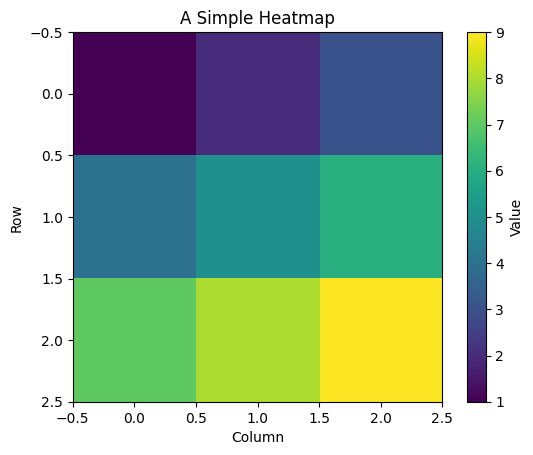
Heatmaps turn numerical data into a visual pattern by representing values with colors. Instead of reading each number in a table, we can quickly spot regions with high or low values, compare groups, and identify patterns. Heatmaps are especially useful for displaying matrices, such as correlation tables, measurements collected across a grid, or values that vary across two dimensions.
In Python, Matplotlib’s plt.imshow() provides a simple way to display a two-dimensional array as a heatmap. Each array element becomes a colored cell: its row and column determine its position, and its value determines its color. A colormap controls how numerical values map to colors, while a colorbar provides a reference for interpreting them.
For example, we can visualize a small array as follows:
Here, cmap="viridis" selects the color scheme, and interpolation="nearest" keeps the individual cells clearly visible. By default, imshow() places the first row at the top of the plot. Setting origin="lower" places it at the bottom instead.
A useful heatmap needs a clear color scale and meaningful labels. When comparing several heatmaps, setting the same vmin and vmax ensures that the same color represents the same value in every plot. These choices help make the visualization both readable and accurate.
When to use a heatmap: It works well when both dimensions have meaningful ordering or when you want to compare many values at once.
Choosing colors: Use a sequential colormap such as "viridis" for low-to-high values. Use a diverging colormap such as "RdBu_r" for values centered around a meaningful midpoint, such as zero.
Labeling the cells: Replace row and column indices with descriptive tick labels. For small arrays, adding the numerical value inside each cell can help.
Understanding the axes:imshow() treats the data as a regular grid. By default, the cells are square; aspect="auto" allows the plot to fill the available space.
Avoiding misleading comparisons: Explain that automatic color scaling can make arrays with very different value ranges look similar. Shared vmin and vmax make comparisons easier.